
For Apple Watch and iPhone
The personal assistant that writes it all down.
Nova listens through your day, turns every conversation into text and sums up what was said, what was decided and what is left to do.
How it works
One tap in the morning.
The rest happens by itself. By evening it is all on the iPhone.
1
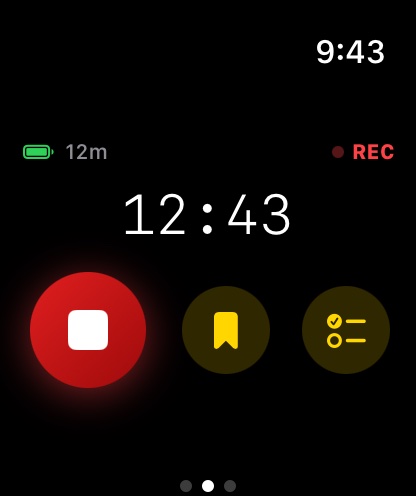
The watch records.
Recording keeps going in the background, screen off or on. It is cut into half-hour segments, so one failure never costs more than one segment.
2
Everything moves to the iPhone.
Each finished segment is sent to the iPhone. The watch deletes its copy only after the iPhone confirms it arrived, so nothing is lost on the way.
3
Go back to a moment.
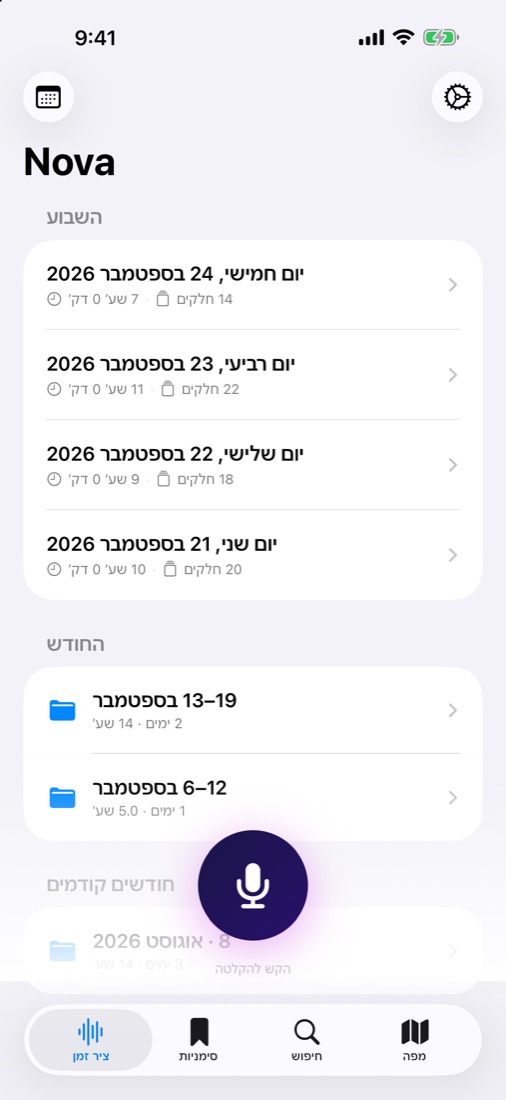
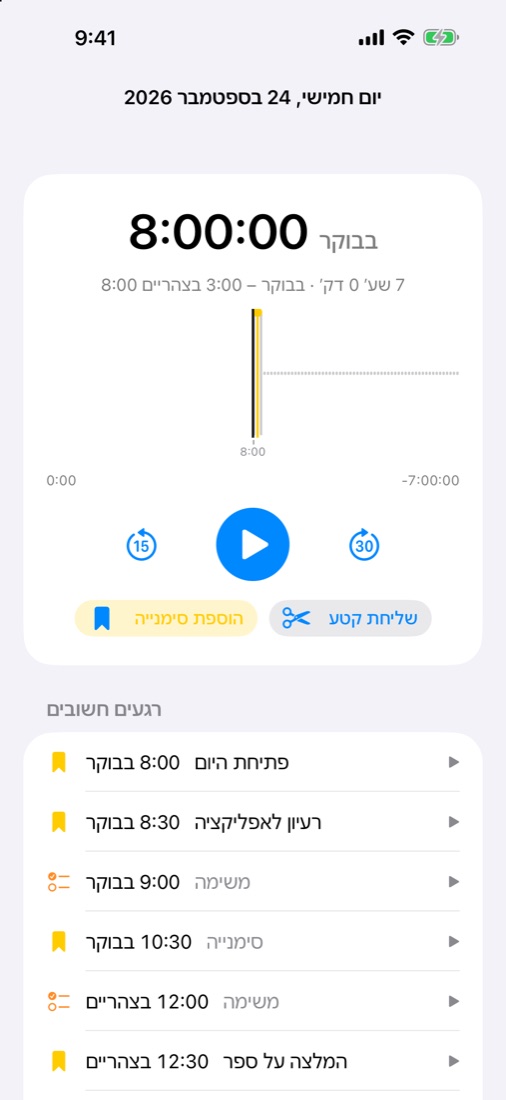
A timeline of the day, a map of where you were, and bookmarks for the moments you wanted to keep. One tap on the watch marks a moment.
What else it does
Find it, and don't forget it.
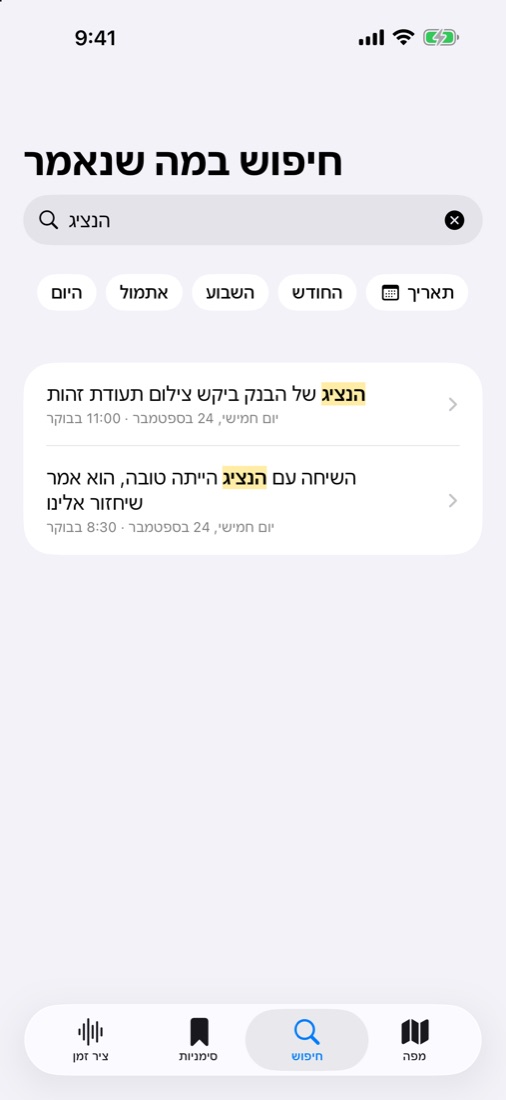
Search what was said.
At night, while the iPhone charges, it turns your recordings into text in Hebrew and English. Then you type a word or a sentence and see exactly where it was said. You can narrow it to today, yesterday, this week, this month or a certain date. Transcription happens on the iPhone itself, and no recording is sent to a server.
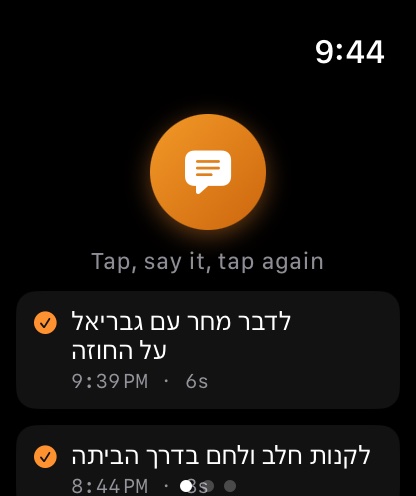
Reminders from the watch.
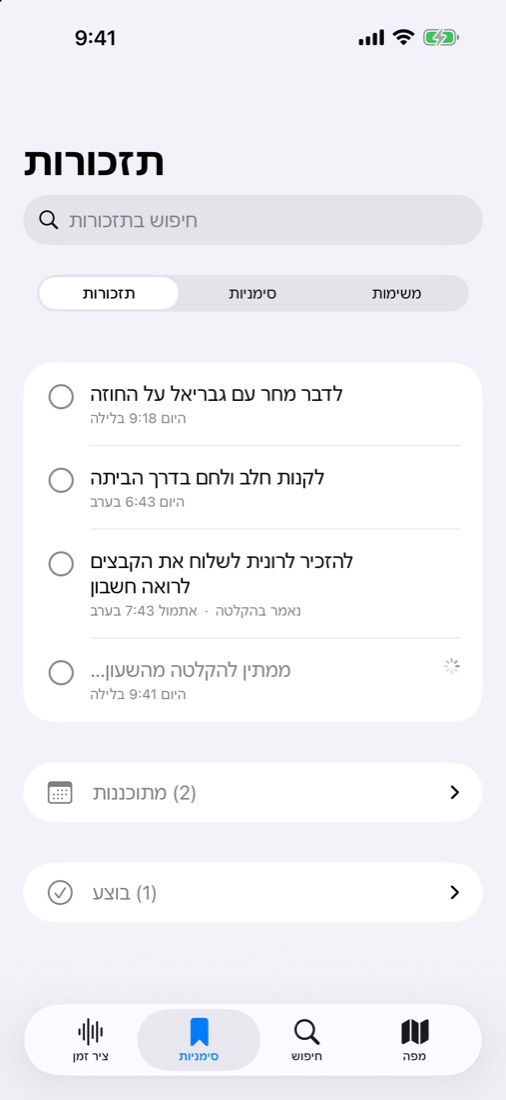
Swipe right on the watch, tap, say what to remember and tap again. The iPhone writes it down as text. You can also say "reminder" in Hebrew while recording, then what to remember, then "end". Tick off what you did, and long-press to choose the day a reminder shows up.
AI summaries
Every meeting ends with a summary.
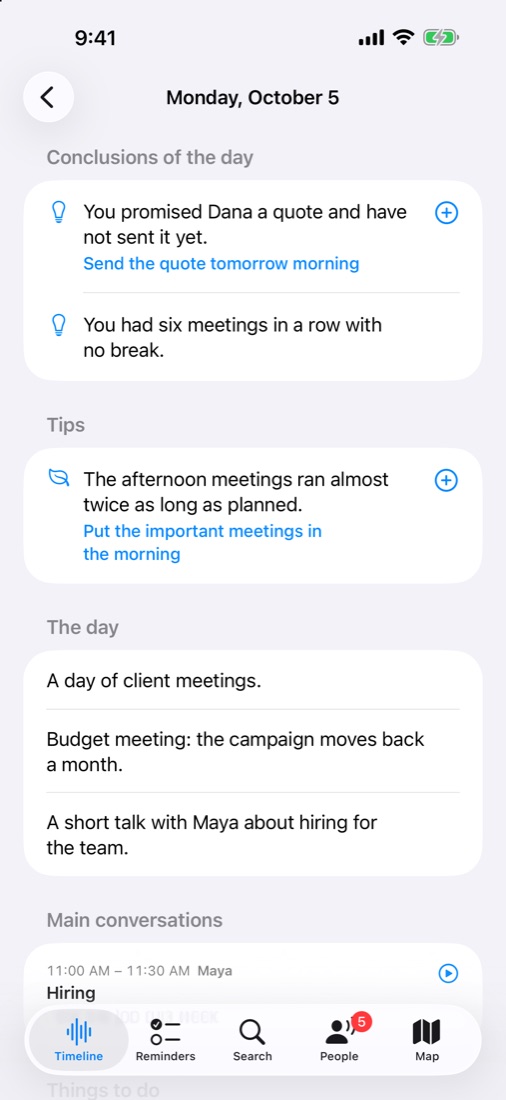
Every night the AI reads what was said that day and writes you a summary: who you talked to, what was decided, and what each person took on. No promise slips through the cracks.
Decisions and owners.
After a day of meetings you have a list of the decisions, the tasks and who took each one. No need to take notes while you talk.
Reminders that come on time.
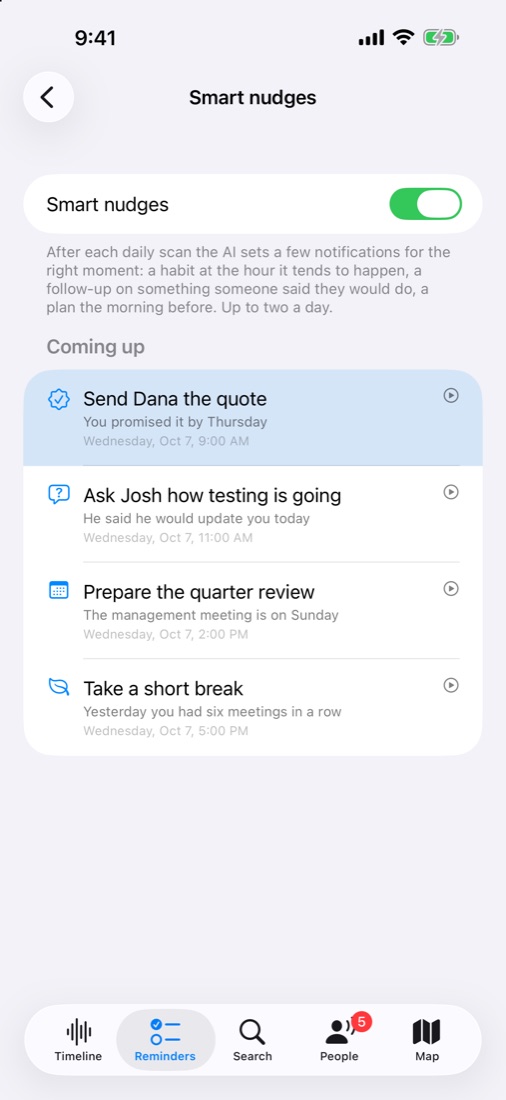
Promised a client a quote by Thursday? Nova reminds you that morning. Waiting on an update from your team? It reminds you to ask.
The month at a glance.
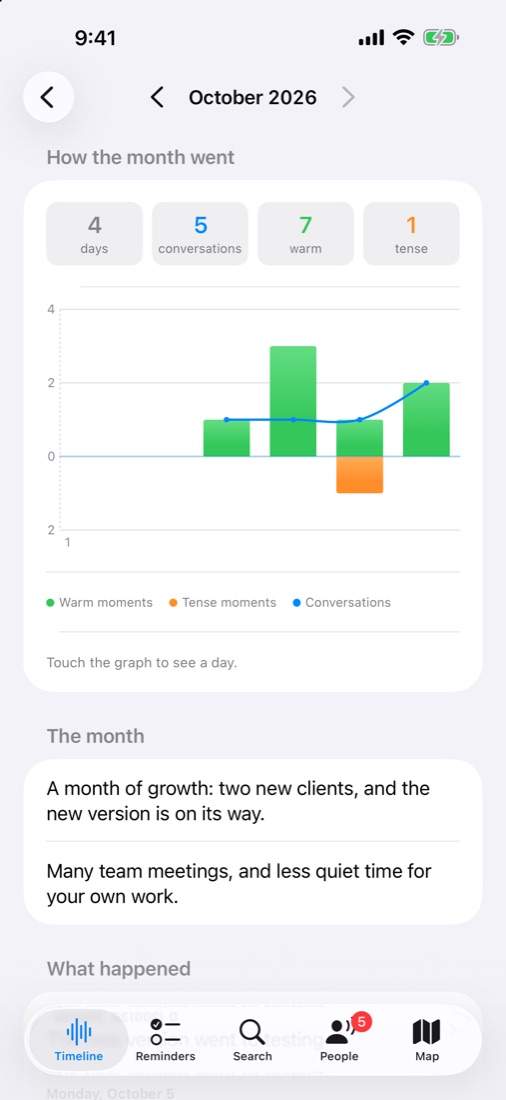
A monthly summary with the big events, the people you worked with most and what is still open. A graph shows how the days went.
Know your people.
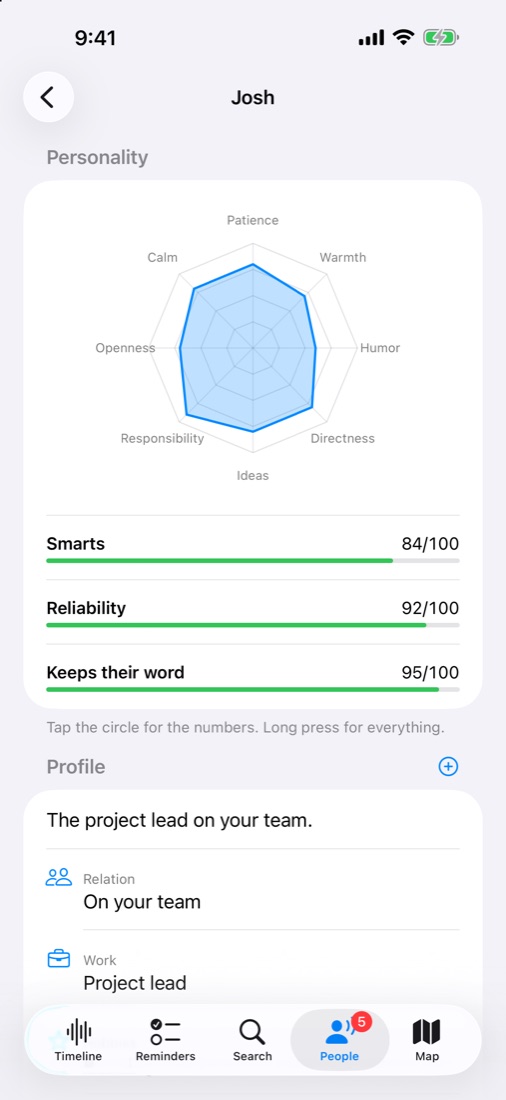
Everyone gets a card: their role, what you agreed on, and whether they do what they say. Handy before your next meeting with them.
Summaries use your own Claude key. The day's text is sent to Claude to be summarized; the recordings themselves stay with you.
What it looks like
On the iPhone.
On the watch.
Privacy
It stays with you.
Recordings live on the watch, on the iPhone and in your own iCloud account. We have no server, no user accounts, no ads and no tracking.
The app also records the people around you. Check what is allowed where you are, and tell people you are recording when it is required. It is made for personal memory, not for monitoring anyone.